DX Agent Dev
A natural-language console for building DEEPX NPU apps: describe what you want, and a coding agent generates and runs it. It is also a chat assistant and a gallery of ready-made showcases.
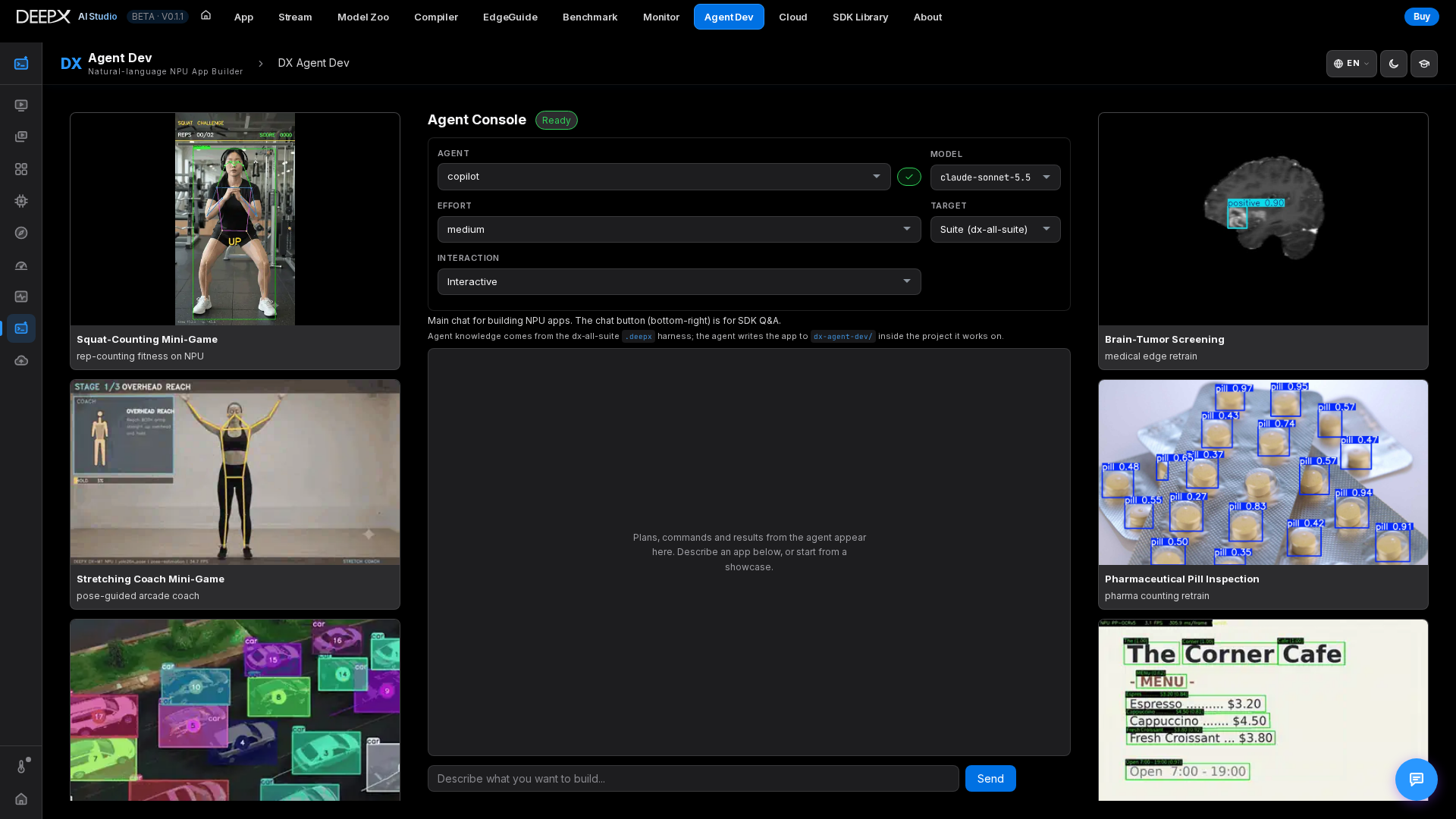
Using it
Step 1. Connect an agent — the console detects installed coding CLIs. Five are supported:
Claude Code (claude), GitHub Copilot CLI (copilot), Cursor
(cursor-agent), Codex (codex), and OpenCode (opencode). A badge shows
whether each is signed in; if a login is needed it shows the exact command to run,
then re-checks.
Step 2. Set the run using the console controls:
- Agent picker — which of the 5 CLIs to use. The agent and model you pick are saved
as the Studio agent (
~/.dx-ai-studio/agent.json) and shared by Home, Agent Dev and the chat. - Model picker — a dropdown of that agent's models; for CLIs that support listing them (Copilot — the models this account may use —, Cursor, OpenCode) it's enumerated live from the CLI, otherwise it falls back to a built-in list. A hint warns if the chosen model is too weak and suggests a stronger one.
- Reasoning-effort picker — the effort levels that agent's CLI supports.
- Target — which repo the agent works in: Suite, dx-runtime, dx_app, dx_stream, dx-compiler.
- Interaction — Interactive (asks questions) or Autopilot (no questions).
Step 3. Describe your task in the prompt — the agent works and streams its progress live;
an expandable activity panel shows each turn's shell / tool output next to the reply.
The agent writes the generated app to dx-agent-dev/<session_id>/ inside the sub-project it worked on
(for example dx-runtime/dx_app/dx-agent-dev/…).
The same run can also be started from the prompt box on the hub home and followed
there (activity, replies, resume).
Step 4. Chat — the main console chat is for building NPU apps via the connected coding agent. The chat button (bottom-right) is a separate affordance: a general SDK Q&A assistant, not part of the Agent Console run.
Step 5. Showcases — browse the gallery of example NPU apps for reference. Open a showcase to inspect its README, recorded workflow and artifacts; viewing these does not start a new agent or NPU run.
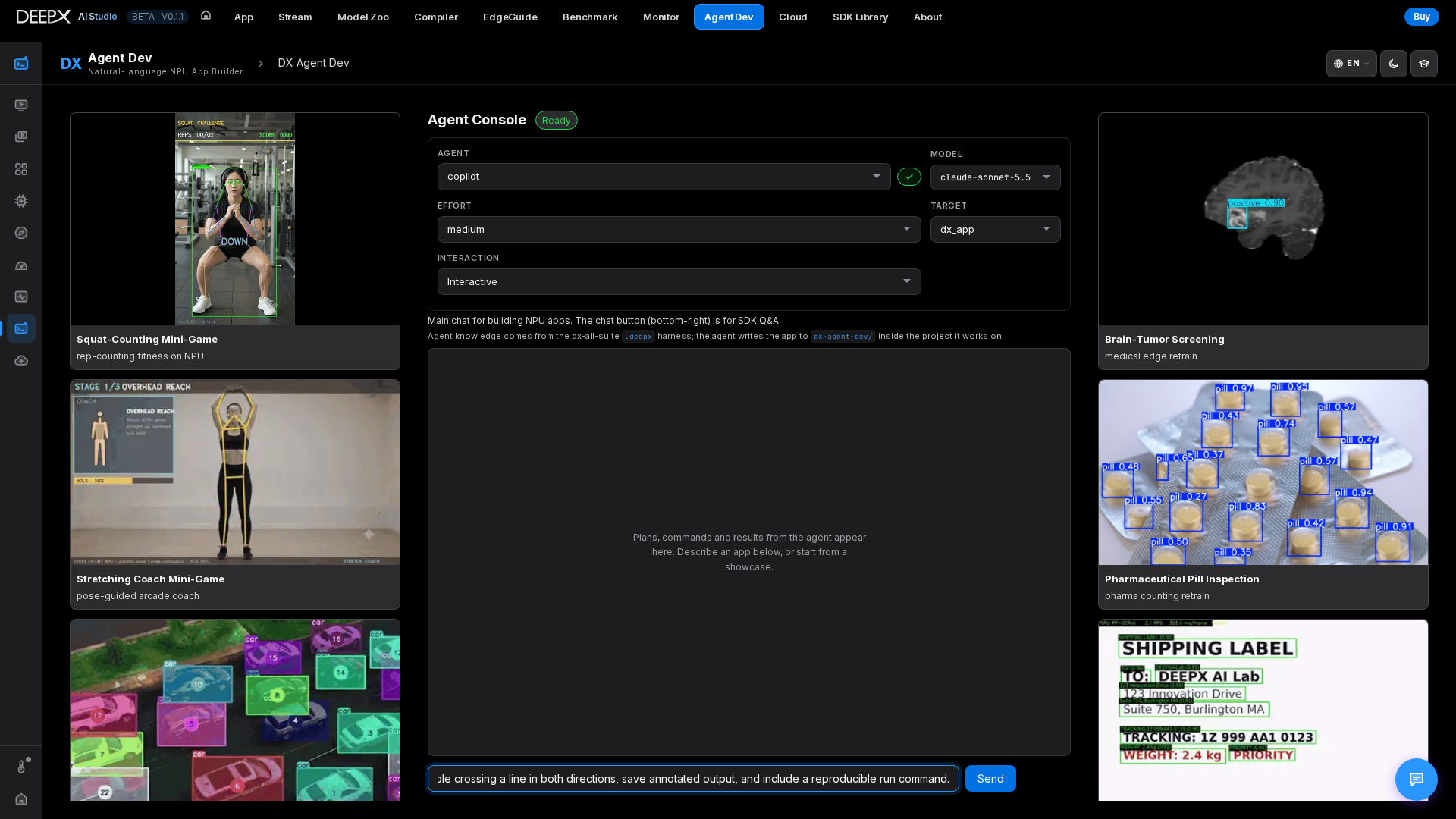
Follow up, stop or recover
For example, choose Target → dx_app and Interactive, ask the agent to explain the input / output plan for an image-inference app, then reply to its question in the same console. Follow-up messages continue the conversation when the CLI supports resume. Inspect Agent activity and the generated files before treating a build as usable; an agent's prose alone is not verification.
Use Stop during a run to request cancellation and wait for Stopped. Cancellation does not undo files or external actions already performed. If the connection drops, read the displayed error / status and reconnect to check the existing run before submitting the task again. Reply in the retained conversation to continue where supported; do not assume a disconnected browser means the work completed or was undone.
If no CLI is available, or the harness isn't found
- No coding-agent CLI installed/authenticated — install and log into one of the 5 above, then reload the page. Showcases remain useful for browsing. The separate chat assistant can use a configured local / cloud provider without a coding CLI; with no connected AI it gives basic built-in guidance, not a real AI build.
.deepxharness directory not found — the agent knowledge/skills directory is missing. Set theDX_HARNESS_ROOTenvironment variable to your dx-all-suite checkout, or run DX AI Studio from within the suite, then reload the page.
Key features
- Bring-your-own agent — uses whatever coding CLI you have installed and signed in; one login powers both the generator and the chat.
- Studio chat (the button at the bottom right) — separate from the Agent Console; it
answers through your signed-in coding agent by default, or a local / self-hosted
OpenAI- or Ollama-compatible endpoint (models are auto-discovered) or a cloud API key;
Refresh knowledge for the DEEPX SDK documentation is under Settings ▸ Advanced. - Live streaming of the agent's work, with a wall-clock timeout so a stuck run frees the slot for the next request.