DX EdgeGuide
Pick the best DEEPX Edge AI product (NPU board + host) for your computer-vision workload. Describe the workload; EdgeGuide ranks the platforms that can handle it using real YOLO26 benchmark measurements, then lets you drill into a platform, compare it with another, review the evidence, and get product info / a price quote.
Using it
The whole tool is one page with a four-step strip — Scenario → Pick → Evidence → Buy — where panels open as you go.
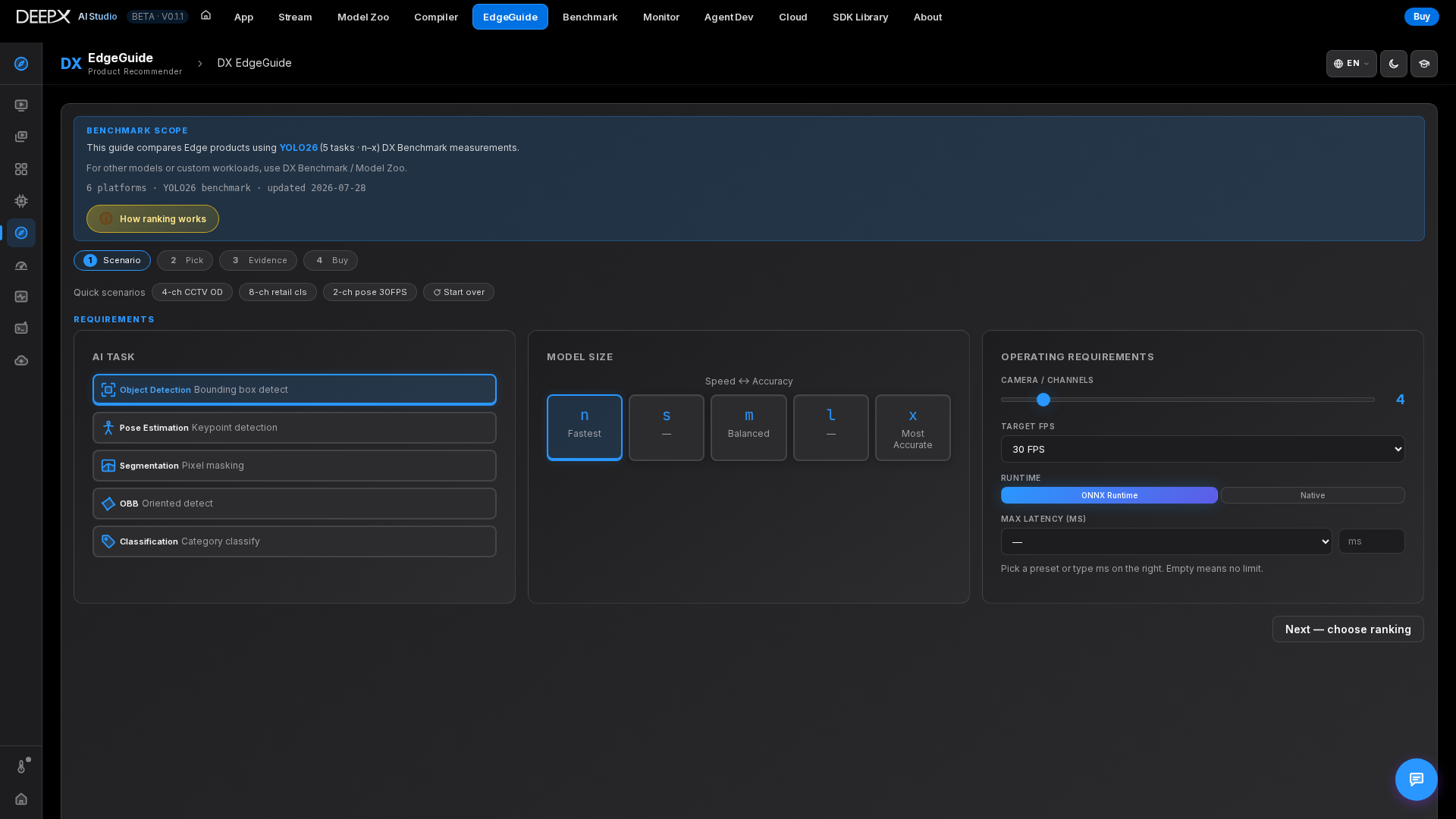
1. Describe the workload (Requirements panel)
- Optionally click a Quick scenario chip (4-ch CCTV OD / 8-ch retail cls / 2-ch pose 30FPS) to prefill.
- AI task: Object Detection / Pose Estimation / Segmentation / OBB / Classification.
- Model size: n (fastest) → x (most accurate).
- Operating requirements: cameras / channels, target FPS, runtime (ONNX Runtime vs Native), max latency.
- Click Next — choose ranking, choose a ranking priority — Most channels / Best Performance (camera-pipeline FPS) / Lowest Power (NPU TDP; host power not included) — then Get Recommendations. (After the first run, changing any input auto-refreshes the results; Start over clears everything.)
2. Read the recommendations
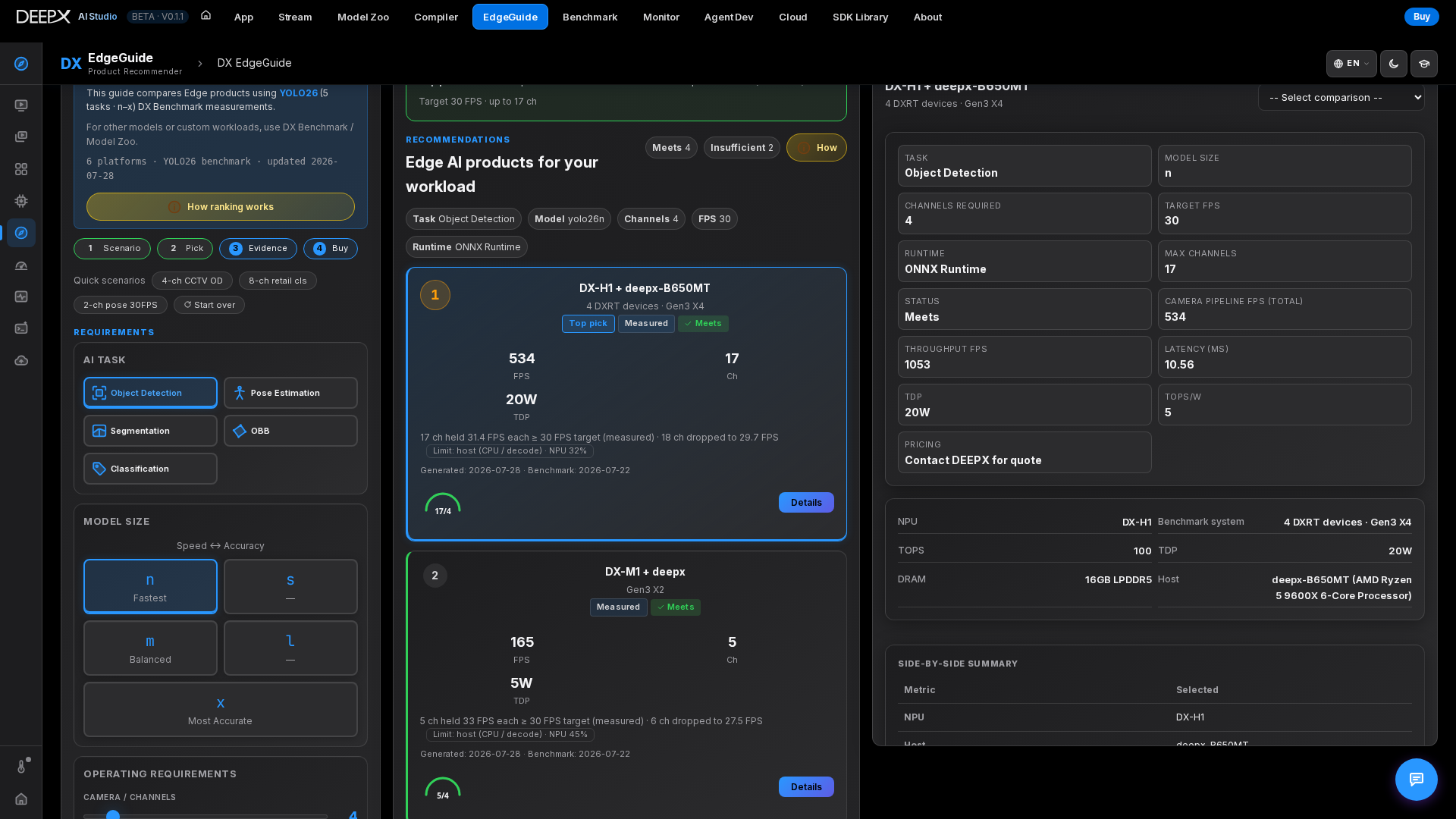
A verdict line shows the Top pick and whether your channel / FPS target is met. Each card carries a Measured or Estimated badge and one line saying why — for example "12 ch held 30.4 FPS each ≥ 30 FPS target (measured) · 13 ch dropped to 28.1 FPS", or the division an estimate comes from, "534 FPS ÷ 60 FPS = 8.9 → 8 ch (estimated from the measured total; tested up to 18 ch)".
How the channel count is worked out: the multi-stream benchmark measured the stream counts
around 30 FPS per channel. When a measured count holds your target and the next one misses
it, that count is the answer (measured). If every measured count holds the target, the answer
is the larger of that count and floor(T_sat / target); if none holds it, floor(T_sat / target).
T_sat is the lowest measured total FPS — around saturation the total stays nearly flat as
streams are added — and an estimate never exceeds twice the
highest tested count; Estimated+ means the estimate hit that cap, so the real capacity may
be higher. The quotient is shown cut to one decimal, never rounded up past the floor. A
measurement taken while the NPU throttled is kept (its FPS already ran at throttled clocks) but
flagged, and ranks after an equal cool result. The limit note says NPU when the NPU was
at least 85 % busy at the most loaded measured stream count, otherwise host (CPU / decode /
PCIe), and shows that NPU load — a faster host helps in the second case, a bigger NPU in the
first. Notes also say when latency was not measured — with a latency budget set, an unmeasured
latency never counts as a plain pass. How ranking works shows every formula with its
meaning in your language, plus a summary of the current session.
Click a card (or a bar in the throughput chart) to open details.
3. Explore / compare
The Details panel shows key facts, platform specs, a Performance Radar, a sortable benchmark table, and a per-model-size chart; task tabs let you view the same platform's numbers for other AI tasks. The charts and table are interactive — click a model-size bar or a table row to re-run the recommendation at that size. Use Compare with to line up a second platform side by side (with a summary count of Meets / Insufficient).
4. Buy / contact
Pricing is by quote — the Buy panel's Product info and Request quote buttons go to DEEPX.
Example: check a four-camera target
Choose 4-ch CCTV OD, keep Object Detection, a fixed model size, 30 FPS and one runtime setting, then request recommendations. Open the top card and Evidence; compare a second platform without changing those inputs. Read the badge and arithmetic: Measured brackets the target with tested stream counts, while Estimated derives a count from measured throughput. Neither is a production guarantee for a different camera, decoder or host.
If nothing meets the target, inspect the channel / latency shortfall, try a smaller model or fewer channels, and rerun. Missing latency is not proof that a latency budget is met; Estimated+ is a capped estimate, not additional tested capacity.
EdgeGuide recommends hardware from benchmark evidence. It does not create AWS resources or deploy an application; those cloud workflows are in DX Cloud.
Key features
- Real measurements — recommendations come from the YOLO26 benchmark matrix, not spec-sheet math. Channel counts are measured where a tested stream count brackets the target, and otherwise estimated from the measured total FPS — every card says which.
- Open methodology — the How ranking works button shows the exact formulas and a live summary; it also states the honest limits (the figures are not a full spec sheet; the power ranking covers the NPU only; contact DEEPX for production sizing and pricing).
- Multi-stream evidence — per-channel and total FPS behind each channel estimate.
- Shareable & resumable — the current selection is captured in the URL (a link, e.g. arriving from DX Benchmark, reproduces the inputs and re-runs), and your last inputs are also restored locally on reload.
- AI Help chat for follow-up questions grounded in your requirements / results.