DX Model Zoo
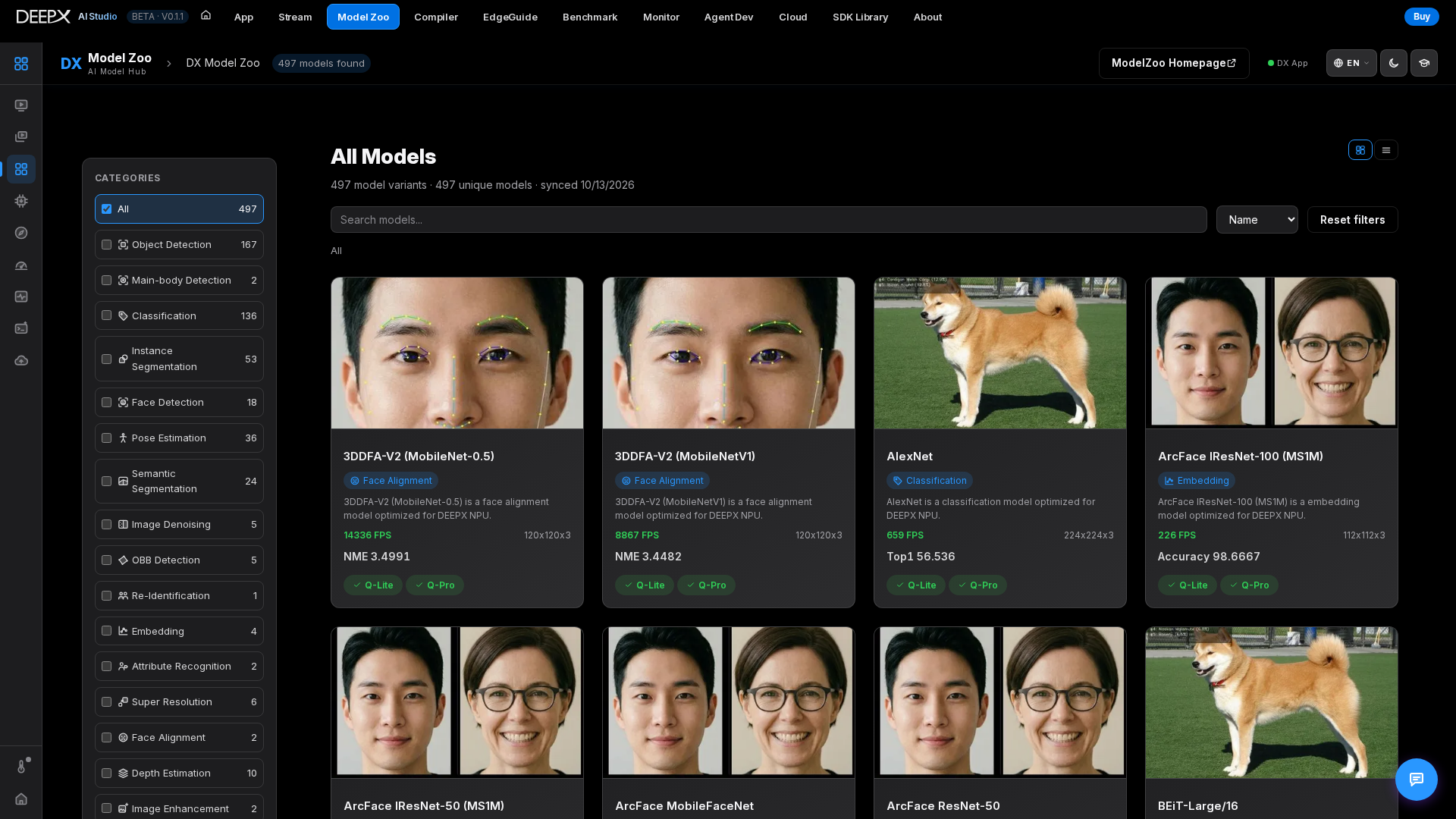
Browse the DEEPX model catalog — search and filter by AI task, open a model to see its details (accuracy, input, license / source), and use it in the other studio tools.
The October 2026 reference is 497 canonical model variants across 29 tasks, aligned
with dx_app dev 2e20108a5. Variants include different sizes, inputs and training variants;
this does not mean 497 distinct architectures. The Studio internal snapshot dated
2026-10-13 grew from 348 to 497 entries (+149). The explorer's variants / unique-model
counts and sync date describe the loaded catalog; a different source or revision can differ.
The Hub and Zoo UI group these entries under 31 category labels, while the Graph
palette uses 29 canonical tasks; these are different groupings of the same 497 variants.
Using it
Step 1. Browse or search the catalog; filter by category (image classification, object detection, segmentation, pose, …), toggle card / list view, and sort. Cards show the available Q-Lite / Q-Pro artifacts; Q-Master appears only where provided.
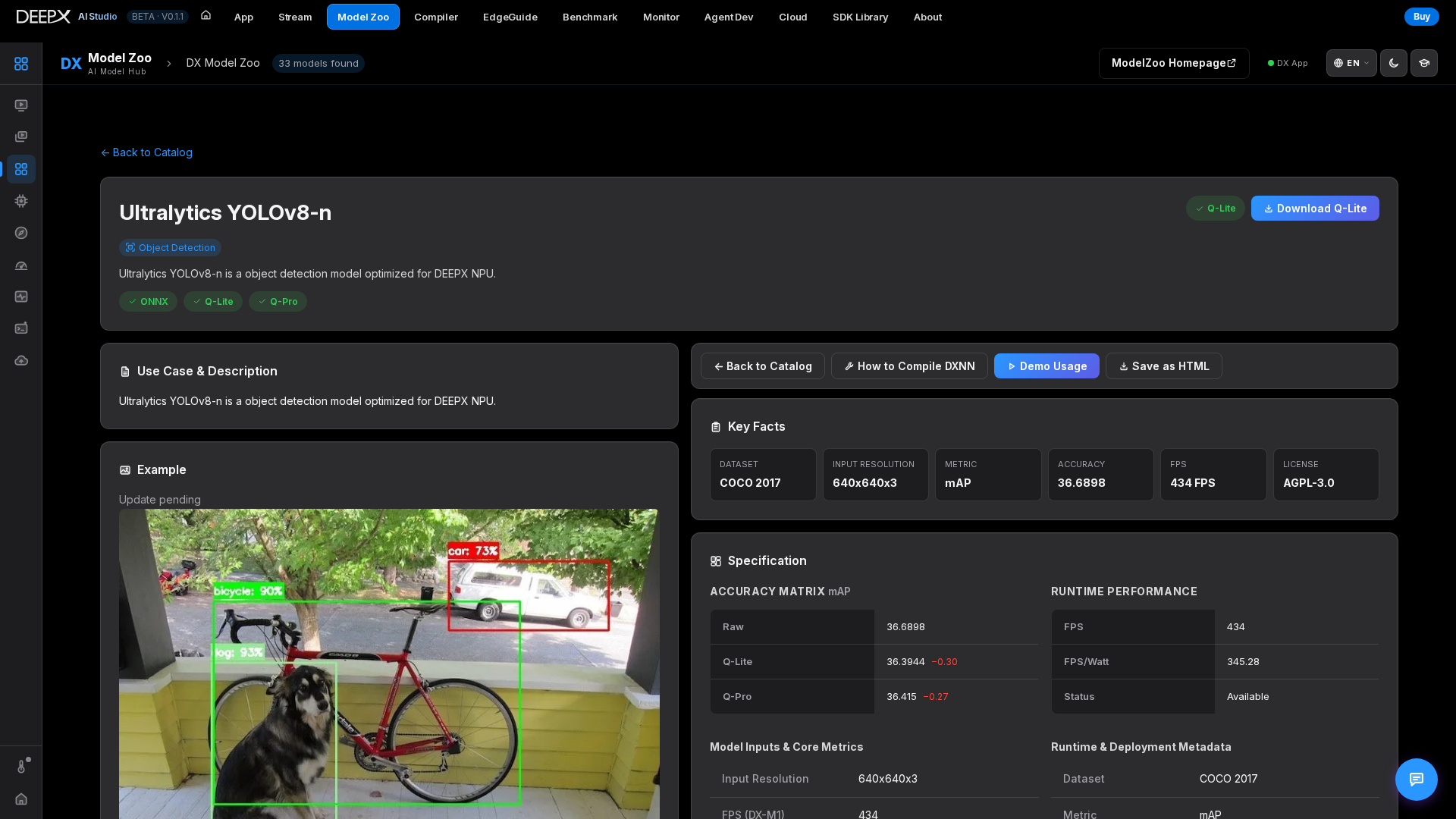
Step 2. Open a model to see its detail view: task, input shape, accuracy metrics, legal info (license / source / copyright), and example images. The desktop detail view groups Key Facts, Example, artifacts / actions and metrics in a 2×2 layout. A before/after slider is available for suitable examples, including super-resolution: open a Real-ESRGAN variant and compare its existing input / result images.
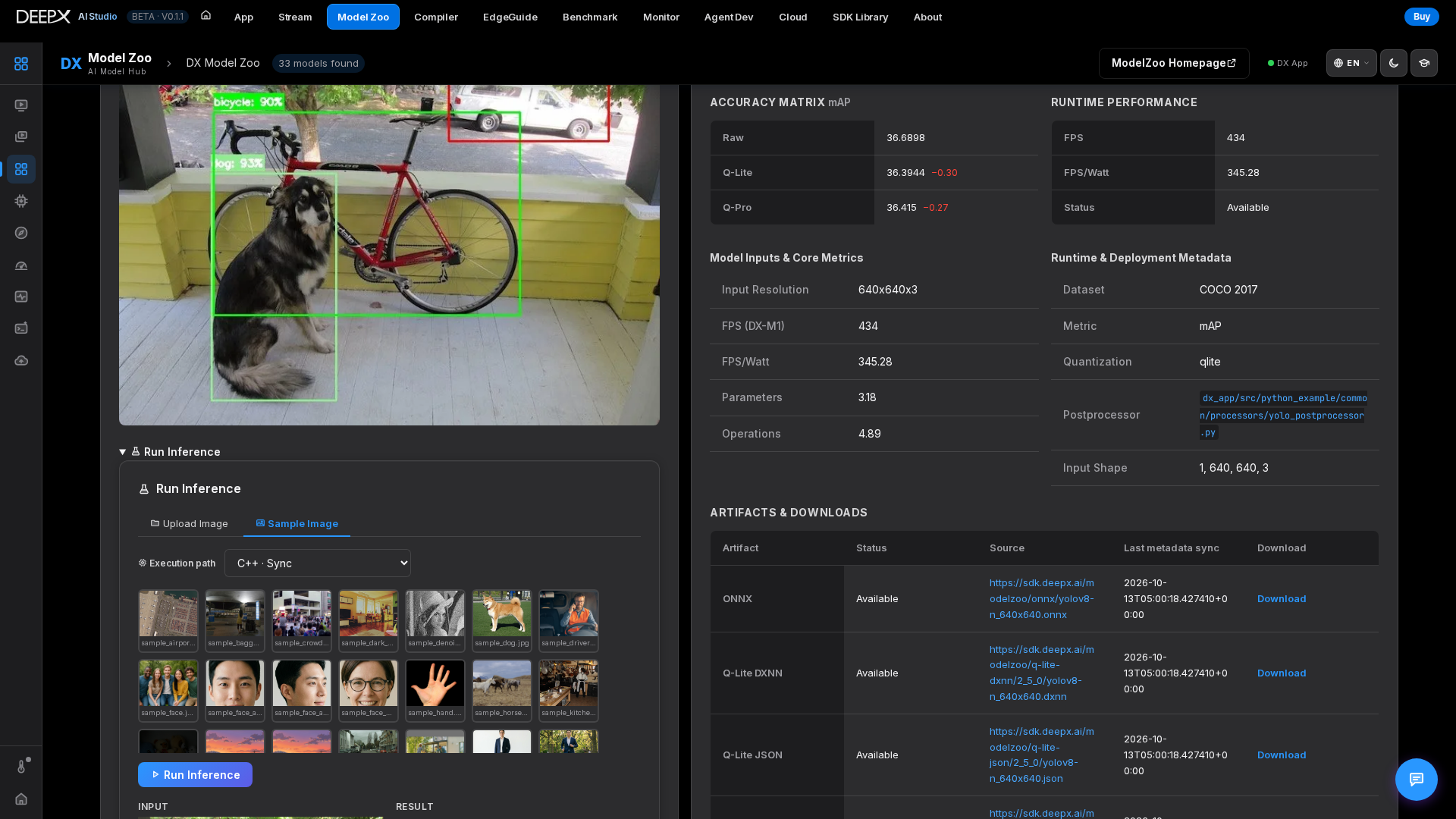
Step 3. Download an available artifact — a Q-Lite / Q-Pro .dxnn (with progress /
cancel), ONNX or JSON. Not every model provides every artifact or quantization tier.
In DX App → ModelZoo, an Unverified badge means the local file has no
current Studio completion record, not that it is absent. Add it to the cart and
run the download to verify it; matching content is kept. This checks transfer
completeness, not whether the model has successfully run on this NPU.
Step 4. Try it in-browser — run inference right from the detail view (upload or sample image) against your local DX App: see the result image, predictions, FPS, and a per-stage latency table, and switch the execution path (C++/Python × Sync/Async). DX App must be reachable, the selected model downloaded, its example prepared / built, and the NPU runtime ready. Non-image tasks do not necessarily support this image demo.
Step 5. Or pull the model into DX App or DX Compiler (the detail view also links straight to "View Model Graph" and a compile guide).
Key features
- 497 canonical variants / 29 tasks in the reference catalog, with per-category filtering, search, sort, and card/list views.
- In-browser inference demo and one-click artifact downloads from the detail view.
- Rich detail view — accuracy, license / source / copyright, copyable demo code (C++/Python/CLI), and save-as-HTML model card.
Reading results and recovering
- Card FPS and accuracy are published catalog measurements, not a guarantee for your board. Keep the metric name (for example mAP, top-1 or NME), dataset and quantization tier with the number; local inference timings describe a different execution.
- If inference is disabled or fails, check DX App Setup, download the selected tier and build its example before retrying. Missing example media alone does not mean the model needs to be re-inferred: reuse the supplied model images where available.
- The full catalog is not the Graph execution list. 492 variants are runnable in DX App's Graph Composer at the reference revision; the four anomaly models and the LiDAR model are excluded. See DX App.